

Workspace Screen
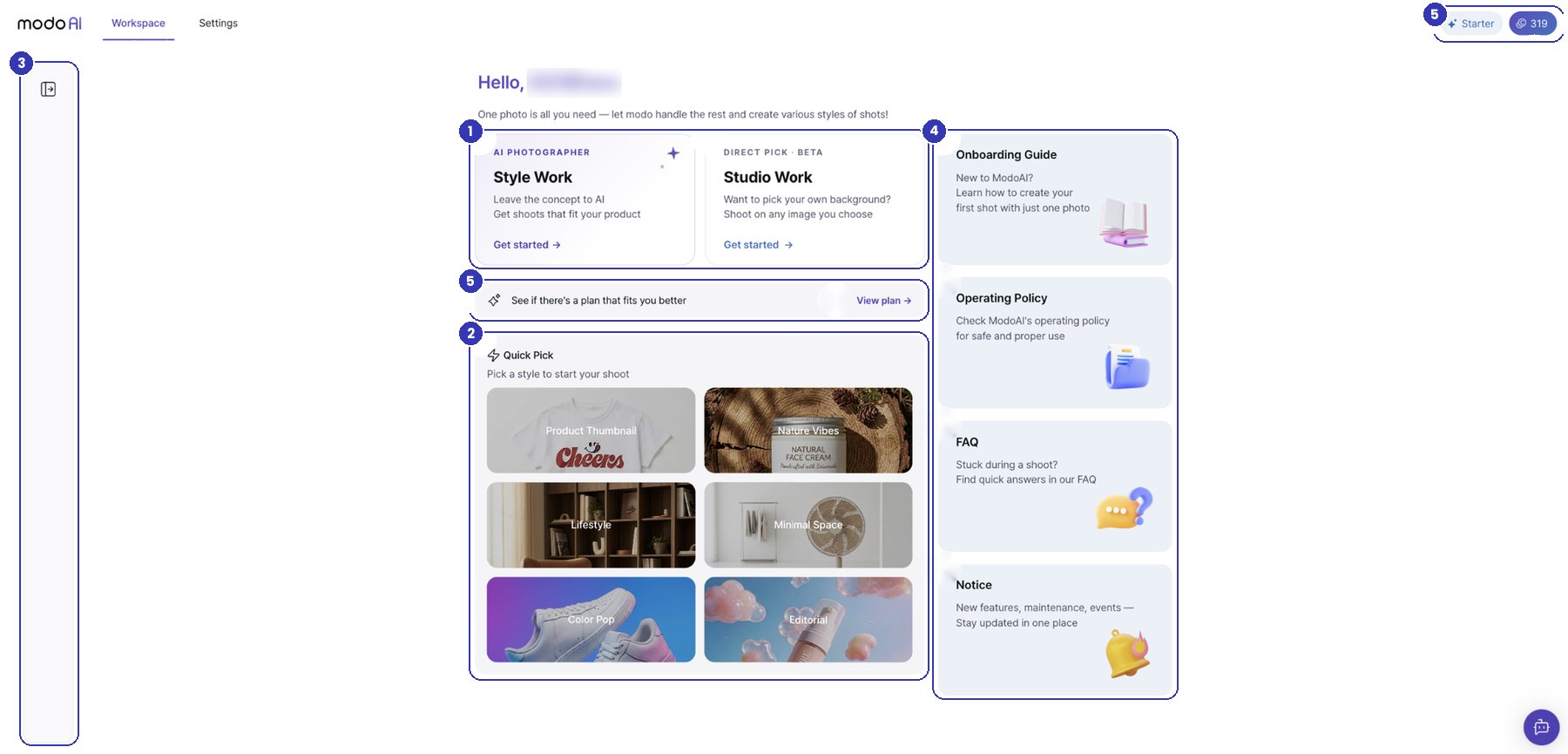
- 1Start workingChoose Style Work or Studio Work Beta to get started
- 2Quick PickPick one of the six styles to jump straight into Style Work
- 3Work sessionsYour work is saved in the left sidebar so you can pick up where you left off
- 4Guide · Policy · FAQ · NoticeFind the onboarding guide, operating policy, FAQ, and notices in one place
- 5Credits · PlanCheck your remaining credits and plan at the top right, and select View plan to subscribe
Settings Screen
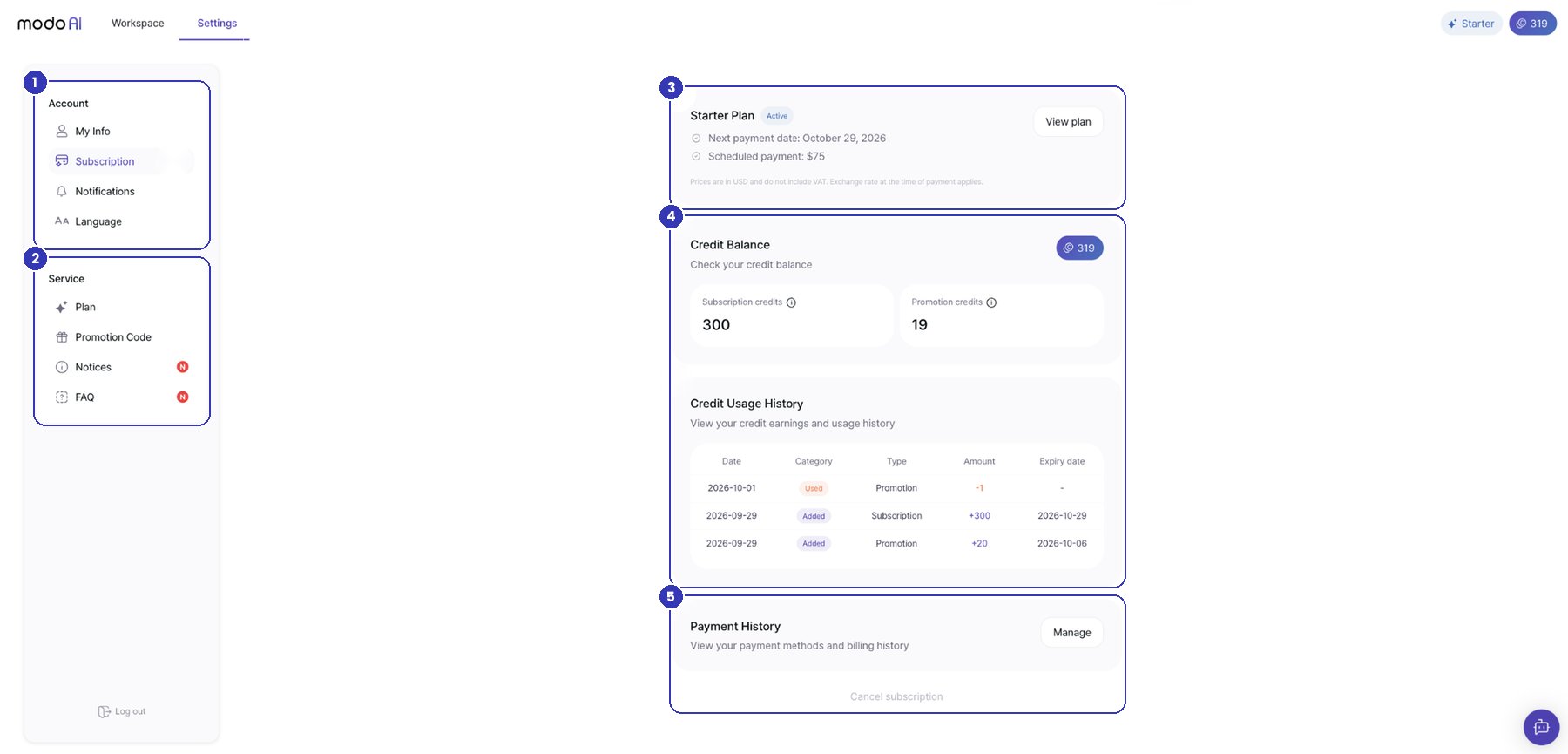
- 1AccountManage My Info, Subscription, Notifications, and Language (English · Korean)
- 2ServiceCheck Plan, Promotion Code, Notices, and FAQ
- 3PlanSee your current plan, next payment date, and scheduled payment
- 4CreditsSee your remaining credits (subscription · promotion) and your credit history
- 5Payment History · Cancel subscriptionSelect Manage to see payment methods and invoices, and cancel your subscription at the bottom of the page